

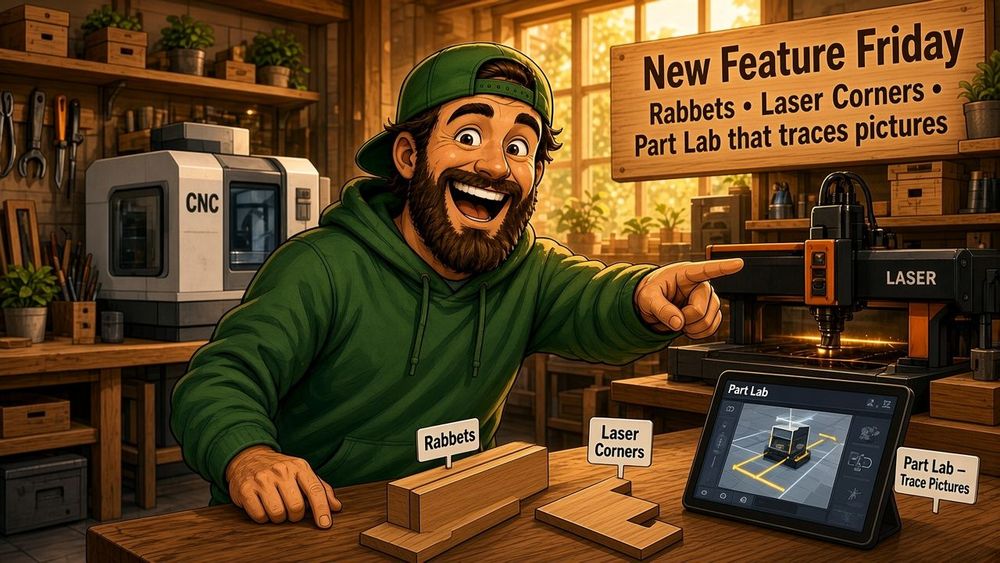
New Feature Friday: Rabbets, Laser Corners, and a Part Lab that Traces Pictures
Posted: October 31, 2026 in #New Feature Fridays
This week is joinery that belongs on a real box, a designer that shows you the parts instead of making you remember their names, and a Part Lab that will take a photo and give you paths.
Rabbets (beta)
Rabbet and double rabbet are in the joint list.
A rabbet is how a back, a bottom, or a drawer panel sits in a groove instead of a row of fingers. One piece keeps its full thickness. The other gets a step. That is the joint you want when a panel should disappear into a box, not announce itself with a row of pins.
A double rabbet puts a step on both pieces. Two panels meet, neither one shows a full-thickness end.
You can also pick which parts a rabbet cuts against. Leave it on all of them, or choose the other parts from a list with thumbnails. A drawer bottom does not need a rabbet on every wall. A back panel does not need one on the face frame. Rabbet With and Double Rabbet With are there so the joint only shows up where you meant it to.
Beta, because joinery has opinions. Try it on a box you already know. Tell me where it lies.
Designer
Dimensions got a pass.
On-screen part dimensions sit on the model. Select a part, see the size. You should not have to open a form to answer “how wide is that panel.”
Internal dimensions is a checkbox on the size fields. Turn it on when you care about what fits inside the box, not the outside of the plywood. The outside still falls out of thickness and joinery. That is the difference between “the cabinet is 24 inches” and “a 24-inch shelf actually fits.”
Corner relief for laser follows the beam, not a router bit. A CNC still uses the bit diameter. A laser uses the kerf. Dogbone style lives with the machine, so a laser project does not inherit a router dogbone.
Parts have thumbnails in the sidebar, the part picker, and the layout. Choosing a part is a picture. Same for shapes in Part Lab.
Material
The 3D view can show a main color and an edge color. Stain on the face, raw ply on the cut. Paint on the panel, a different tint on the edge banding. That is closer to what you actually build than a single flat color.
Painted is gone from the material list. Color lives on the material, not as a fake stock type.
Layout
Same thumbnails on every part on the sheet.
You can add extra sheets without throwing away the nest you already liked. New parts land on new sheets. The layout you already packed stays put. That used to mean “re-nest everything and hope.”
Part Lab
Image tracing (beta). Drop in a picture and get paths you can cut. A phone shot of a logo, a sketch, a paper template. Holes stay holes instead of becoming a stack of loose outlines.
SVG import is less of a coin flip. Files from Illustrator or Inkscape come in as separate pieces. Groups stay groups. Compound paths that were already separate stay separate objects, so a logo is not fused into one blob.
The path tool will edit complex and compound paths. You can get at the point you meant, including inside a compound shape, without exploding the whole thing first.
Fillet between two separate lines. The lines do not have to already share a corner. Pick two, get a radius. That is the CAD move: extend or trim to a tangent arc, even when the lines were sitting there not quite touching.
Shapes have thumbnails too. The list looks like the parts list. You can tell a pocket from a profile without reading the name twice.
Account, projects, settings
Projects, bookmarks, and quickstarts got a layout pass. Same information, less fighting the page.
If a project is cloneable, there is a clear control for that. You can turn cloning off without hunting.
Preferred units is a toggle in project settings. Millimeters or inches for the whole file.
Those project settings live in the designer now. Units, the stuff that used to be a round trip back to the project page, sit next to the work.
Under the hood
The unglamorous list, which is usually the one that saves a cut:
- Rounding errors in finger generation. Fingers that were a hair off because of float math.
- SVG export no longer writes duplicate IDs on paths. LightBurn and friends will thank us.
- Intersection orientation for side parts. A side panel that meets another part now agrees on which way that meeting faces.
- Rotation axis selection. The axis you pick is the axis you get.
And as a Side Note
Ads are off the site. They were in the way. If you are on the free plan and this is useful, there is a Buy me a coffee button in the account sidebar. No obligation. Pro still pay the bills.
If a release like this is useful, the next one lands next Friday.
Happy making!
Andy